Camera Firmware Mods: How Loaders, Service Modes and Patches Work
Camera mods run from a card, change stored settings or patch firmware. Exact version checks, recovery steps and real-camera testing matter before installation.
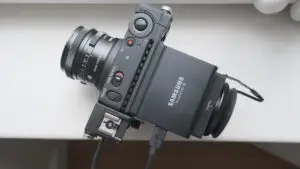
Camera firmware mods can add recording formats, monitoring tools and controls that manufacturers haven’t included. Their installation methods determine what can go wrong and how difficult recovery may be. Before trying one, identify whether it runs code from a memory card, changes stored settings through a service mode, or replaces part of the firmware—and check the exact camera and firmware version it supports.
These projects aren’t supported by camera makers, and some warn that a modification may void the warranty. If a camera earns its keep, test changes on a second body or leave the working setup alone.
Three ways mods reach a camera
Code loaded from a card is the least permanent approach. Magic Lantern on Canon DSLRs, fpSup on the SIGMA fp, GRKit on the Ricoh GR, FujiMod’s SD dual boot on the FUJIFILM X70, and Soup Engine and Film Roll for older Canons all load extra code at startup. It runs in RAM alongside the manufacturer’s firmware. Remove the card, and the camera starts with its stock setup.
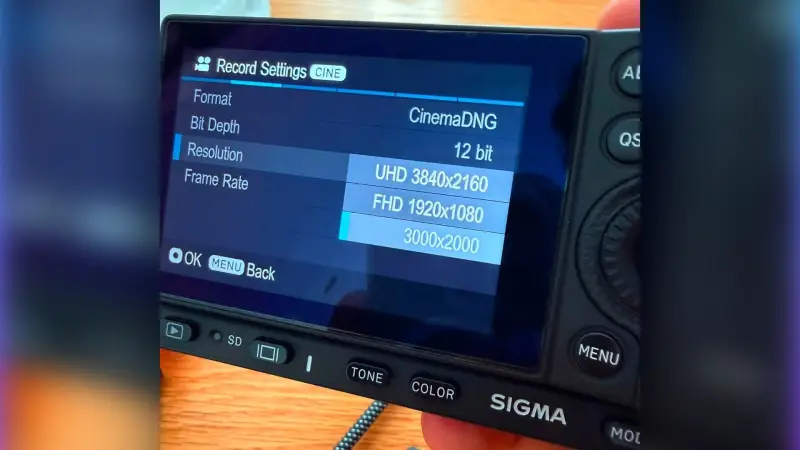
The loading mechanism depends on the camera. Magic Lantern uses a one-time boot flag set by its installer. SIGMA fp firmware Ver. 5.02 already includes a factory shell that runs an AutoRun.txt script from the card at startup, which fpSup uses. GRKit relies on the Ricoh GR’s SD script setting, which remains enabled.
Card-based code can still leave the camera stuck. If you choose a mod option in the camera’s menu, that choice may be saved in the regular settings. fpSup advises users to restore stock menu options before deleting its files. Soup Engine warns that removing Magic Lantern’s startup file while its boot flag remains active can prevent startup until the file is restored. GRKit’s recovery steps for a startup hang begin with removing the battery and card, then starting the camera without the card.
Service-mode changes modify stored settings without replacing the firmware. For the Sony a7 IV shutter-angle research, developer ma1co’s open-source Sony-PMCA-RE tool puts the camera into USB service mode, where numbered properties can be read and written. Changing one property enabled shutter angle; restoring its original value returns the setting.
The discipline lies in changing and testing one value at a time. The project recommends backing up all settings, removing the battery for ten seconds to cold-boot, and restoring the original value before the next experiment. A property may persist across restarts without activating a feature, because a separate firmware rule can still block it. A saved setting alone doesn’t confirm that the function works.
Patched firmware carries the greatest recovery risk of the three methods. Wonder Lantern for the Nikon Z30, and GR Mod and GR4-MonoUnlock for the Ricoh GR IV, modify a manufacturer’s firmware file before it goes through the camera’s standard update process. The developer’s tool checks and patches the official file; the projects don’t supply the manufacturer’s firmware.
GR4-MonoUnlock warns that an interrupted update or a file the camera can’t start may leave it unable to enter the update function, requiring manufacturer service. Its tests did not encounter that failure. An official firmware update also removes the mod by replacing the firmware. GR Mod records a previous version that froze the camera when official firmware couldn’t read a setting; its current version resets such values at startup. Keep the official firmware file and confirm the return-to-stock procedure before installing a patch.
Support depends on the exact firmware
Each method relies on specific memory addresses or file contents, so compatibility can stop at a single firmware revision. fpSup supports SIGMA fp firmware Ver. 5.02. Wonder Lantern accepts a particular Z30 firmware file, verified by its SHA-256 checksum. GR4-MonoUnlock rejects files other than Ricoh GR IV firmware 1.11. GR Mod and GRKit add Ricoh versions after their developers check them.
The Nikon Z8 shows how quickly this can affect access. NikonFirmwarePatch version 0.4.0 accepts Z8 firmware C 3.11, while Nikon has since replaced it with C 3.12 and removed the C 3.11 download page. The patch doesn’t support C 3.12. Check compatibility before installing a camera update: once a newer version is on the body, a desired mod may no longer be an option.
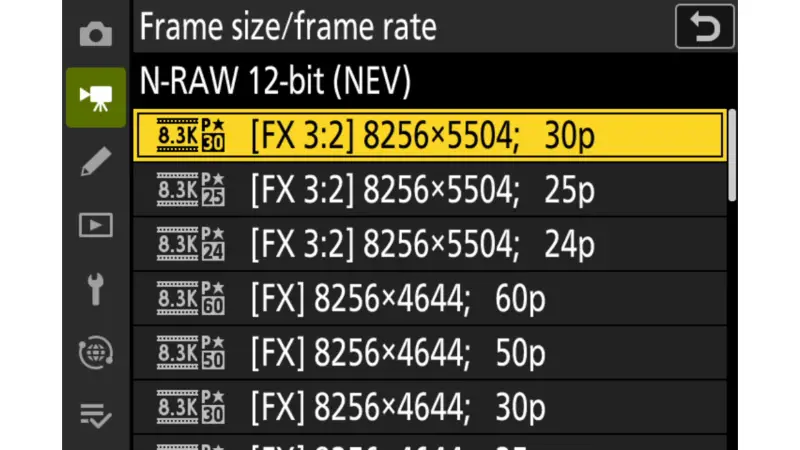
Firmware patching is also spreading across Nikon’s Z cameras. Wonder Lantern versions are available for the original Z5 and Z6, and an independent lab version adds a first feature to the original Z7. For the Z8, NikonFirmwarePatch 0.4.0 adds 8.3K open-gate N-RAW in 3:2 at up to 30p; ProRes HQ, 422, LT and Proxy; five H.265 bitrates; S-Log3 and Log3G10 recording; RAW pre-capture; and in-camera pixel-shift merging. Its developer reports limited testing on a Z8 and cautions that offline checks “cannot guarantee safe operation on a camera”.
What to check before installing
Useful project documentation separates what has been tested on a real camera from what has only been checked in an emulator or in code, and what remains untested. Wonder Lantern, fpSup, the Sony a7 IV project and GR4-MonoUnlock document camera and firmware compatibility, provide removal instructions alongside installation steps, and update their claims when new evidence changes them.
Keep your own copy of the tool, the official firmware, your settings backup and the uninstall instructions. Community projects can disappear: during research for this overview, the Hasselblad X2D toolkit went offline, and its research repository was reduced to a note saying public release had stopped at Hasselblad’s request.
AI tools have helped some developers inspect and decompile firmware, but that work doesn’t replace testing on the camera. The fpSup developer cautions that AI-assisted research has produced errors that may remain in the project’s notes and instructions. For video, verify that long recordings start and stop properly, then inspect every frame of several clips on a computer. Don’t make a paid shoot the first real test.
Official tools and camera-side monitoring
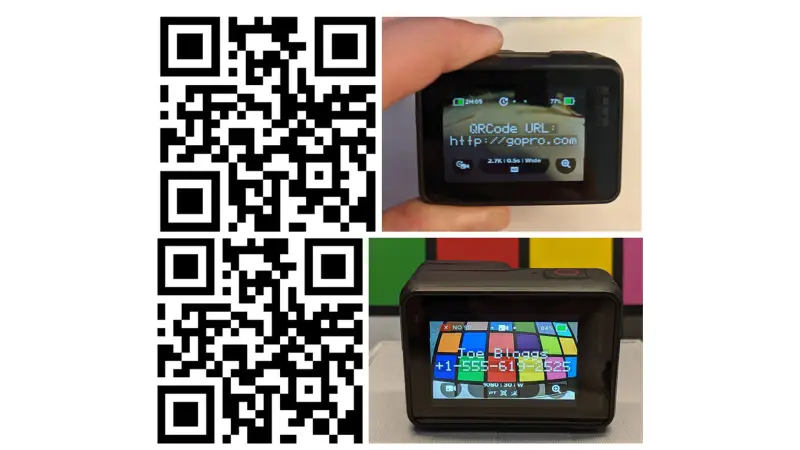
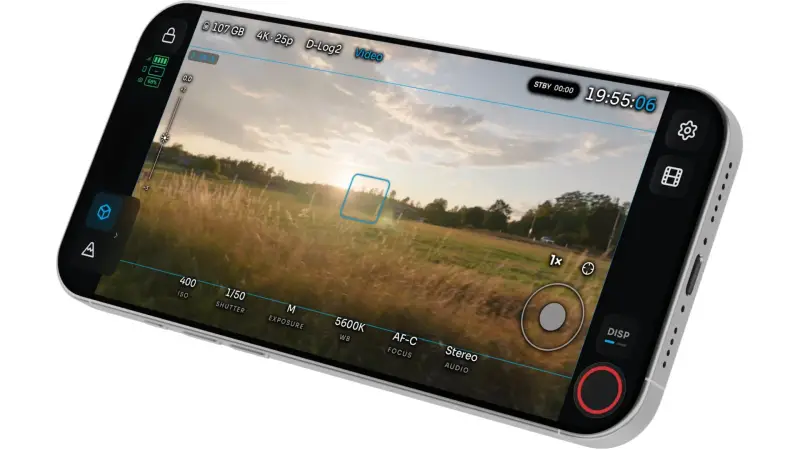
GoPro Labs offers experimental firmware with QR-code controls, which are off by default. Its GitHub repository lists current builds for cameras up to the MISSION 1 series. OpenPocketCine takes another route: it adds monitoring tools such as waveforms and false color to DJI Osmo cameras through a reverse-engineered control link, without changing camera firmware. Its developers advise users to confirm recording from the camera body until they trust the link—a sensible check for any control tool.
There’s clear interest among camera owners in official feature updates. Readers have asked Sony for shutter angle on Alpha cameras and Canon for paid firmware updates that add missing functions to older Cinema EOS models. Canon’s firmware update for the EOS C400, C80 and C50 shows how much a manufacturer can change through software.
The projects discussed here are free, and most publish their code; some accept donations or offer extra material to supporters. Before installation, confirm the method, exact firmware match and recovery steps, then test every feature you plan to rely on. A mod that works in a menu still needs to prove itself in a full recording.