VoiceWunder Brings AI Voice Generation and Dialogue Tools Into Pro Tools
VoiceWunder adds seven AI voice tools to Pro Tools and Premiere, from timeline speech generation to dialogue cleanup and talent controlled voice sharing.
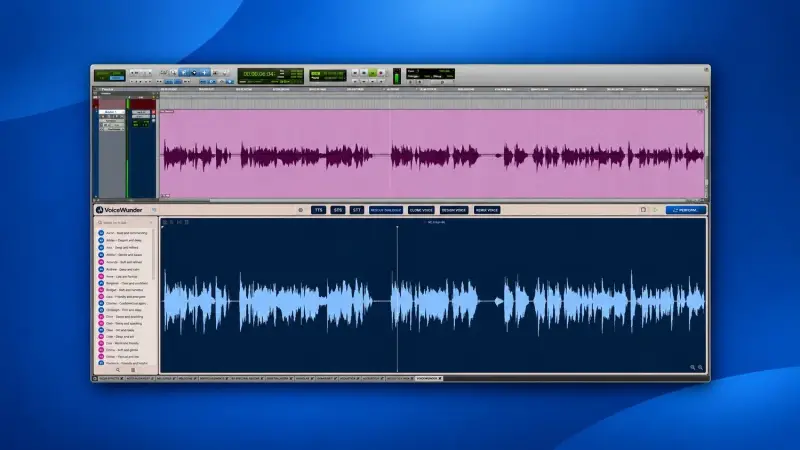
VoiceWunder puts voice generation, conversion and dialogue processing inside a Pro Tools session, cutting out the usual export to a web service and import back into a DAW. The ARA2 plugin works with clips on the timeline, and Adobe Premiere is supported too. For editors building temporary narration or guide tracks, the practical draw is speed: generated lines can be auditioned against the picture and revised in context.
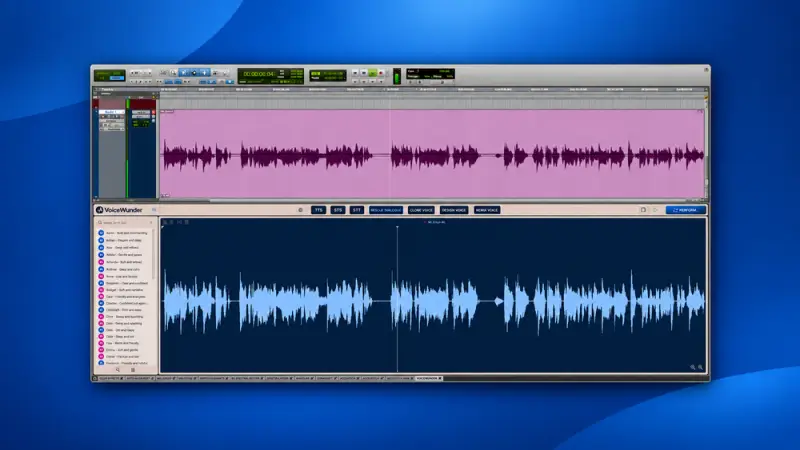
The plugin groups seven voice tools in one place and can generate speech in up to 91 languages. Its main workflow covers text to speech, speech conversion, transcription, noise reduction, voice cloning, voice design and voice remixing. These tools serve different stages of post production, from creating a placeholder read to cleaning dialogue or adapting a voice for a specific brief.
Generate and revise dialogue in the session
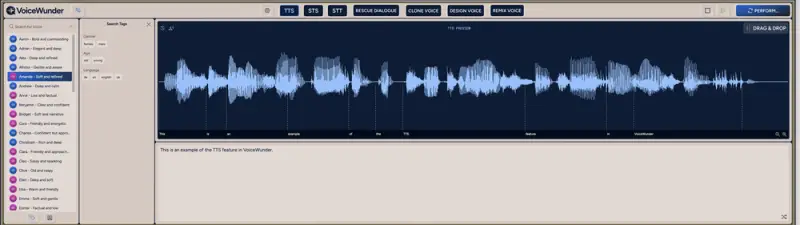
Text to Speech lets users enter a script, choose a voice from the library and render the result through the plugin. Voices can be searched and filtered with tags. Once generated, the audio can be dragged onto a track. If a line changes, VoiceWunder’s Update Voiceovers workflow lets the user revise the script and regenerate the voice in place, without recording the line again.
Text prompts can also include emotional tags in square brackets, such as [sigh] or [excited]. These cues guide delivery and can add emotional or nonverbal elements. That makes the feature useful for scratch dialogue, temporary voice-over and guide tracks while an edit is taking shape. It gives the editor a fast way to test wording and timing before a final performance is available.
Speech to Speech takes an existing performance and changes its voice, tone or delivery while aiming to retain the source timing and nuance. The input might be an actor’s read, a guide track or a placeholder. In testing, the converted voice generally resembled the selected library voice while retaining some traits of the original performance, including its accent. That can help when a production needs an alternate voice but wants to keep the cadence of an existing take.
Speech to Text transcribes a selected clip. The resulting text can be copied into other VoiceWunder operations, including speech generation. This links the tools in a practical way: a recorded line can become editable text, then serve as the starting point for a newly generated version.
Dialogue cleanup and voice creation
Rescue Dialogue is a one-click denoiser with no adjustable controls. It removes audio the tool identifies as noise, so the user has little control over the amount of processing. The reviewer found it most useful on narration and voice-over where a very clean result was wanted; for location dialogue, a gentler reduction may be preferable. Cleaning a sample before cloning is another potential use, since noise in the reference recording can carry into the resulting voice.
VoiceWunder can clone a voice from a sample between 1 and 5 minutes long. Longer recordings with more variety can help produce a better clone. The workflow asks users to confirm they have the necessary consent and will not use the voice for harmful or fraudulent purposes. The company says AI processing runs on EU servers, with zero retention for text to speech and speech to speech, and that its service is built to GDPR and EU AI Act standards.
The platform also gives voice talent a way to create and share their own clones with selected studios. Talent can grant and revoke access, while each generated line is logged with the user and time of generation. Usage rights, project scope and compensation are agreed directly between the talent and studio. This setup gives performers visibility and control over access to their digital voices.
Shape a voice from a prompt
Design Voice creates a voice from a natural language description and sample text. Users can adjust loudness and Prompt Strength. A stronger setting follows the prompt more closely, including its requested tone, accent and style, but may sound more rigid; a lower setting can produce a looser, more expressive result. The reviewer reported good results with a low to medium setting, though some experimentation is needed.
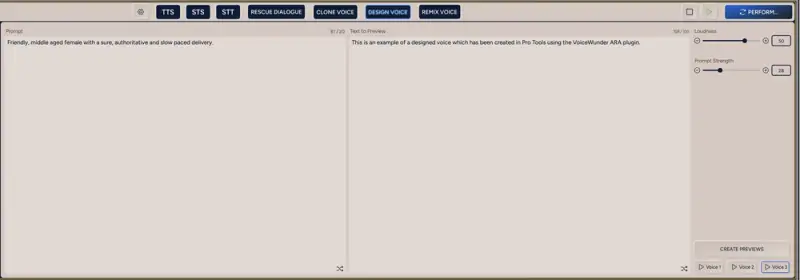
Create Previews generates three options to audition, and users can request another set if none fit. The chosen voice can then be named and assigned a gender, age and language before it is saved to the Voice List. Remix Voice follows a similar prompt based process, but starts with a voice from the library or one the user has designed. It can adapt qualities such as age or gender while retaining aspects of the existing voice.
Plans and monthly credits
Speech synthesis and processing use coins, replenished at the start of each month according to the subscription. Unused coins do not carry over. Text to Speech costs 1 coin per character. Speech to Speech, Speech to Text and Rescue Dialogue each cost 1,000 coins per minute of audio.
The free Community plan costs 0 € and includes 6,000 monthly coins, 1 user voice or design and 5 voice operations. Its voice library is limited, and library voices are for testing only, with no publication. Basic costs 25 € per month and includes 80,000 coins, 22 user voices or designs and 100 voice operations. Studio costs 99 € per month and provides 400,000 coins, 100 user voices or designs and 250 voice operations.
Basic and Studio include commercial use of library voices. Basic offers a curated library; Studio adds an extended library and voice sharing. The free Voice Talent plan is browser only and supports up to 20 digital voices, with sharing limited to selected studios and controls for granting access and reviewing use. Community, Basic and Studio require Premiere or Pro Tools and include integration with both. Those plans use EU based AI processing, with a data processing agreement available. The Basic plan is offered with a 30 day free trial that ends automatically and does not require a credit card.
For editors, VoiceWunder’s strongest case is keeping temporary voice work close to the timeline, where wording and delivery can be judged against the cut. The plan choice depends on monthly processing needs, access to commercial library voices and whether talent needs to share a controlled clone with a studio.