Avid Pro Tools 2026.11.1 Adds macOS 27 Support as EUCON 2026.11 Expands Control Surface Access
Pro Tools 2026.11.1 supports macOS 27 and fixes workflow issues; EUCON 2026.11 adds custom EQ and dynamics maps and S4/S6 MeterView.
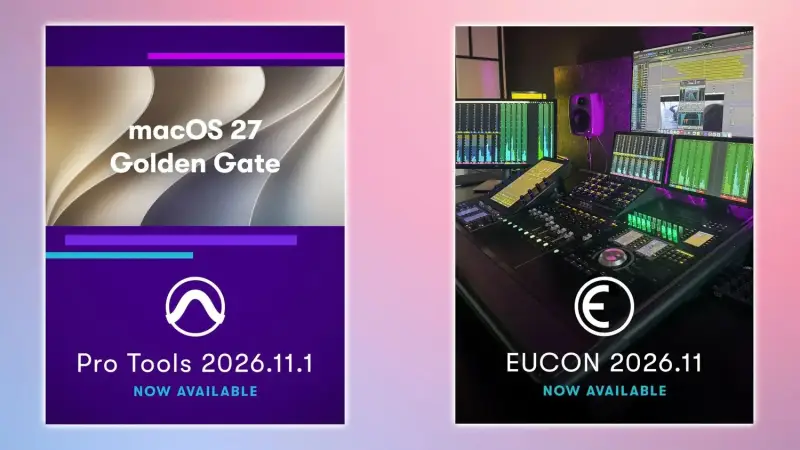
Avid’s latest Pro Tools and EUCON updates address two different parts of a modern studio setup: operating system compatibility and hands-on control. Pro Tools 2026.11.1 adds support for macOS 27 Golden Gate, while EUCON 2026.11 gives supported control surfaces broader access to plugin parameters and adds a meter display app for S4 and S6 systems.
For engineers planning an OS update, Pro Tools 2026.11.1 is the relevant change. For people working from Avid control surfaces, EUCON 2026.11 changes how EQ and dynamics plugins can be mapped and viewed from the desk. Both releases are available through Avid account downloads and the Avid Link app.
Pro Tools 2026.11.1: Golden Gate support and fixes
Pro Tools 2026.11.1 supports macOS 27.2.1, also identified as Golden Gate, and includes an Avid Link update alongside AVE fixes and other performance improvements. The update also resolves a collection of specific problems across editing, control surfaces, installation, scripting, satellite operation, the interface and video playback.
The control surface fix restores plugin parameters to custom insert knobs when “EQ/DYN Custom inserts maps” is set to display as EQ/DYN. That matters for sessions where engineers depend on mapped plugin controls from the surface instead of reaching for the mouse. In editing, Batch Rename Timeline Order is available again in cases where the command had been missing.
Windows users upgrading Pro Tools should also see EUCON load correctly after installation. The scripting SDK now reports the active record mode properly to older SDK clients, and Pro Tools used as a Satellite no longer encounters the crash addressed in this release.
Several fixes concern presentation and playback. On macOS 27.2 with a non-English system language, menus and other text should display correctly; the HPF button is also restored in the Mic Pre floating window. In video workflows, rapid stop and play commands could leave playback slow or uneven. Avid says that behavior has been fixed.
System requirements
Pro Tools 2026.11.1 supports the latest versions of macOS Sonoma 14.8.x, Sequoia 15.7.x, Tahoe 26.6.x and Golden Gate 27.2.1. Listed Mac processors include M5, M4, M3, M2 and M1 chips, as well as an Intel Dual Core i5 or faster.
On Windows, the stated operating systems are Windows 11 versions 24H2 and 25H2. The processor requirement is a 64-bit Intel Core processor, with an i3 at 2 GHz or faster recommended. Studios updating shared workstations should check each machine against these requirements before changing the operating system or deploying the software across a room.

To find the Pro Tools installer, sign in to an Avid Account, open “My Products,” locate Pro Tools, then expand “VIEW Software Download Links & Product Details.” The release should appear among the downloads associated with the account. Avid Link is another way to check for the update; account listings may take about a day to refresh.
EUCON 2026.11: more plugin control from the surface
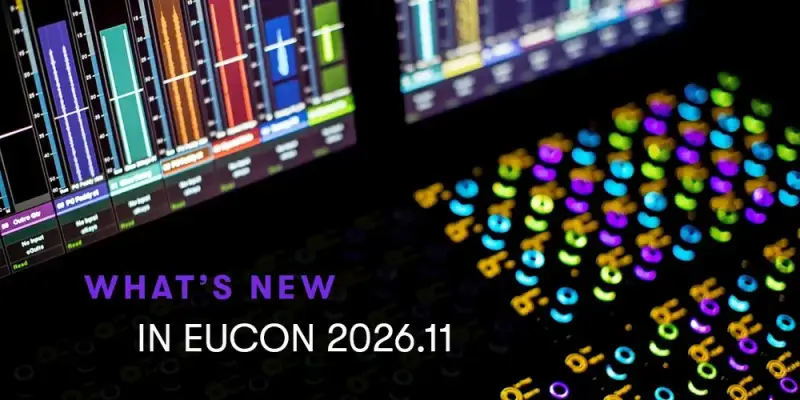
EUCON 2026.11 brings Custom Insert Maps into the EQ and DYN functions across the S1, S3, Dock, Artist Series and Avid Control. The change lets users access mapped plugin parameters from those functions, with EQ or dynamics graphs, page cycling and color cues: magenta for EQ and green for dynamics.
That wider access can make a control surface more useful with modern plugins whose parameters don’t fit a fixed set of conventional EQ or dynamics controls. Users can create separate Custom Insert EQ and Custom Insert DYN maps, which is especially relevant to channel strips that combine both processing types. The setting is in EuControl under General, then EQ/DYN Custom Insert Maps, with choices for None, Insert Function or EQ/DYN Functions.
Avid Control also separates Basic and Routing Folder Tracks into their own categories on the Tracks page. That gives users a more specific way to select those track types when building or navigating a surface view.
MeterView for S4 and S6
For Avid S4 and S6 systems, EUCON 2026.11 introduces the EUCON MeterView App. It mirrors Master and Post Meter displays on a separate Mac or Windows computer connected to the same EUCON network. Up to four app instances can run at once, each assigned to its own display, and the app is included with the workstation installers.
The S4 and S6 digital VU meter range now extends to –90 dB. That range expansion is specific to those surfaces. Keeping meters visible on separate screens can help teams arrange the control room around the listening position or shared workflow, while retaining the surface’s own meter presentation.
EUCON 2026.11’s EQ/DYN functions and MeterView both require Pro Tools 2026.11 or later. Studios using EUCON with another DAW should check Avid’s EUCON compatibility information before updating.
Getting EUCON 2026.11
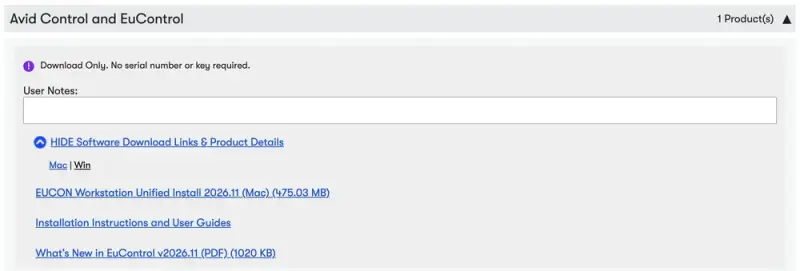
EUCON Workstation Unified Install 2026.11 is listed in an Avid Account under “My Products,” in the “Avid Control and EuControl” entry. Expand “VIEW Software Download Links & Product Details” to see the available files. Avid Link can also be used to check for the update, and account availability may take about a day to appear.
The practical split is clear: Pro Tools 2026.11.1 is the maintenance and compatibility update, while EUCON 2026.11 changes surface access to plugin controls and adds a dedicated S4/S6 meter view. Before installing, confirm the host requirements and the Pro Tools version needed for the EUCON features you plan to use.