Production Expert Rebuild Adds AI Search, Archive Tools and Studio Resources
Production Expert has rebuilt its site around searchable archives, Fletcher AI search, plugin listings, macOS compatibility and DAW shortcuts.


Photo by JoshuaWoroniecki on Pixabay
Production Expert has rebuilt its site around a practical problem familiar to anyone who has worked in audio for a while: useful advice disappears when an archive grows faster than its search tools. Since 2008, the publication’s writers and contributors have produced tens of thousands of pieces. Readers struggled to find them, and even the editorial team sometimes began work on a subject before discovering it had already been covered.
The redesign turns that archive into a set of working tools for audio professionals. Search, article navigation, compatibility information, plugin listings and DAW references now connect readers with material they can use in a session or while planning a system upgrade.
Two ways to search, including Fletcher
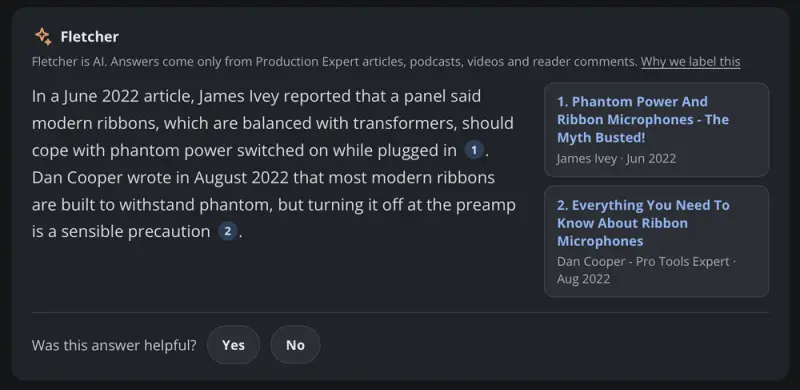
The new search engine offers conventional results and Fletcher, an AI-powered question interface. A search for “1176,” for example, brings up recent coverage first, with a best-match option and the ability to open results in a new tab. Fletcher is designed for more conversational queries, such as whether phantom power can damage a ribbon microphone. It provides a short answer and links to the reference material behind it.
That sourcing is the key distinction in Fletcher’s design. Its answers draw only on Production Expert’s articles, podcasts, YouTube channel and reader comments. The publication says this material comes from practitioners with experience on real sessions and projects; readers can inspect the references rather than treating the generated response as a standalone authority. In the ribbon-microphone example, the cited reference is an expert panel published several years ago.
Fletcher is labelled as AI. Production Expert explains its approach on its AI labeling page. The tool is meant to make existing expertise easier to retrieve, while keeping the underlying sources visible.
Articles with clearer routes through the material
Article pages now show estimated reading time and, when relevant, video watch time. A contents panel lets readers jump to a specific section; it stays collapsed on mobile until opened. The writer’s name is also visible near the top, making it easier to find work by a familiar contributor.
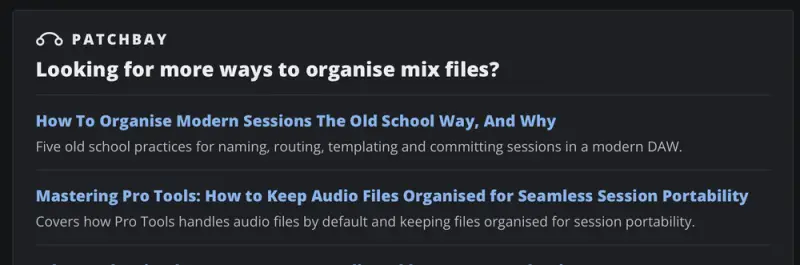
At the bottom of each piece, readers can mark whether it was useful. After an article has been live for a while, Patchbay appears with related archive pieces and the site’s most-read stories from recent days. Like Fletcher, Patchbay uses AI and is labelled accordingly. Its role is to suggest a useful next step, so a reader researching one recording question can continue into related coverage.
Production Expert is also reviewing older material for accuracy. When an article is refreshed, an orange Updated label and date sit beside the original publication date. Existing comments remain, with a note clarifying that comments posted before the update refer to the earlier version. For engineers relying on older advice, that date gives important context before applying it to current equipment or software.

Plugin and sound library directories
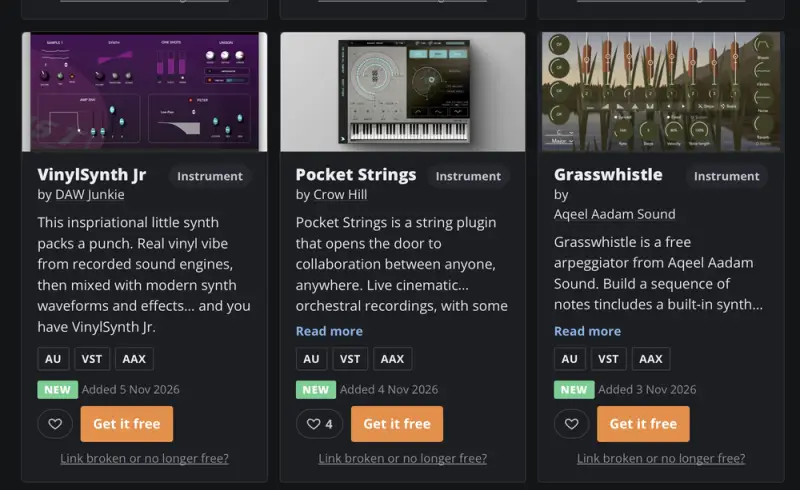
The free plugins directory has been rebuilt as a searchable database with more than 700 entries. To qualify, a plugin must be available in AU, VST and AAX formats. Visitors can filter by developer, see additions from the last day and check the number of listed plugins and developers. The Get it free button goes to the developer’s site, without an intervening sign-up wall.
Readers can heart plugins, and the Most Loved chart resets each week so newer additions have a chance to appear. A reporting button lets users flag broken links or listings for products that are no longer free. Reports require an email address for verification; the site says that address is not added to a mailing list. Optional weekly digests can be limited to chosen categories, and no email is sent when there’s nothing new in those categories.
Sound designers get a similar directory through the free sound effects page. At the time of writing, it listed 243 free libraries from 27 providers, with additions made each week.
Compatibility and shortcut references
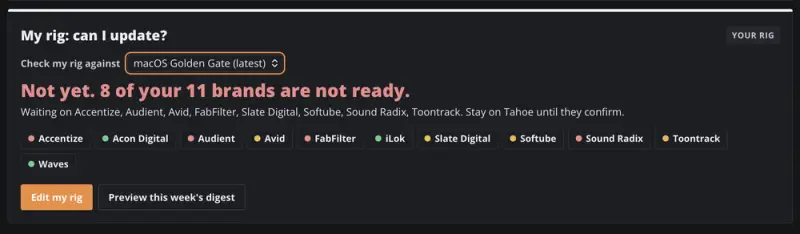
The overhauled macOS compatibility guide tracks supported audio products across current and older operating system versions. At the time of writing, 30 brands reported readiness for macOS 27 Golden Gate, ten weeks after its release. The guide also covered 83 brands for Tahoe and 114 for Sequoia, with earlier macOS versions included back to Big Sur.
Edit My Rig lets users select the brands and hardware in their own setup, then check support across macOS versions. A digest can notify them when support information changes for those selected brands. The guide distinguishes verified support from mere functionality: an unlisted product might run, but its developer has not confirmed support for that OS. Windows users can register interest in a comparable guide through a vote on the page.
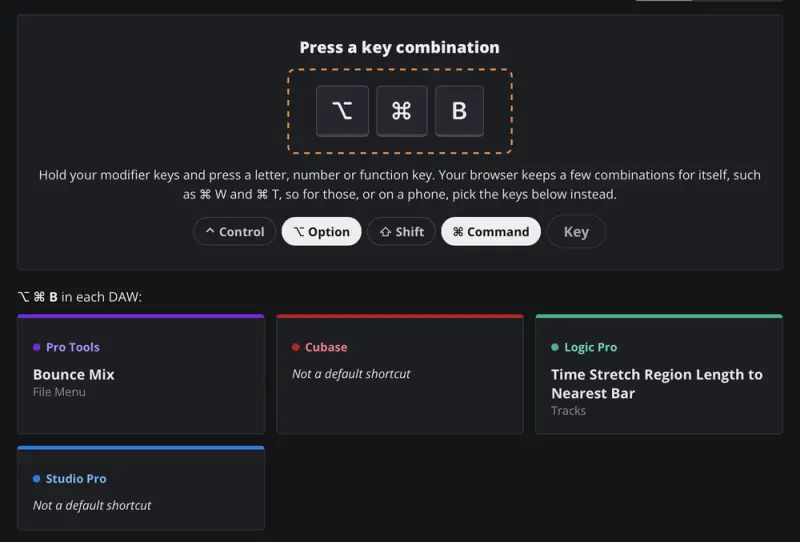
A separate keyboard shortcut finder collects 1,863 default commands across Pro Tools, Logic Pro, Cubase and Fender Studio Pro, for both Mac and Windows. It accounts for each DAW’s terminology: searching for “split,” for instance, also finds Pro Tools’ “Separate” command. Users can look up a key combination across the four applications or compare common tasks side by side, a handy reference when moving between systems.
A searchable archive and smaller interface changes
The article archive contains 15,434 pieces published since 2011. It supports search as you type and filters for year, type and topic, including an option to remove news results. That makes it easier to narrow a long-running publication’s coverage to the material relevant to a particular task.
Across the site, readers can switch between light and dark modes on any device. Homepage labels identify News, Most Read and Review stories, while a row at the top highlights topics drawing reader attention. Production Expert says more changes are planned, with the same practical measure for each: whether they help audio professionals find information and do their work better.