Kaizen Audio Infinity Rack Review: 54 Processors, Macros and Snapshots in One Plugin
Infinity Rack stacks 54 processors in one plugin, with automation tools, third-party hosting and a Pro Tools latency reading of 145 samples at 48 kHz.
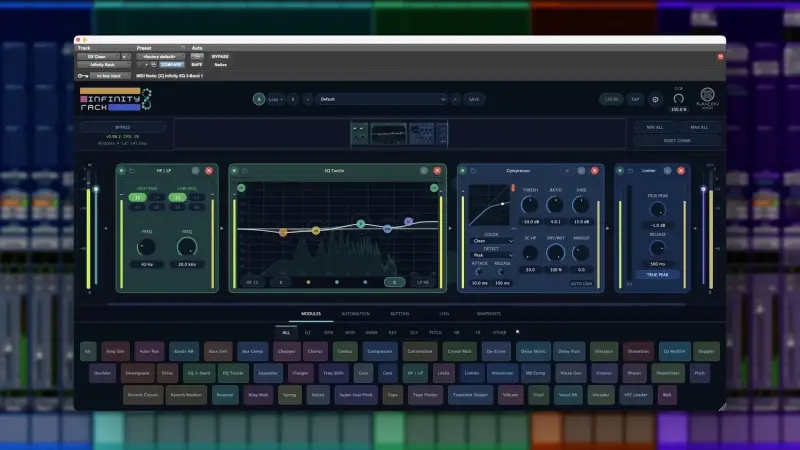
Kaizen Audio’s Infinity Rack brings 54 processors into a single plugin, letting engineers build long effect chains without spreading them across inserts and aux tracks. The appeal is practical: keep a complex chain in one window, then manage its parameters with macros, modulation and snapshots. In Pro Tools, the reviewer found the processors capable and measured 145 samples of latency at 48 kHz when using the rack’s limiter.
A rack built around control
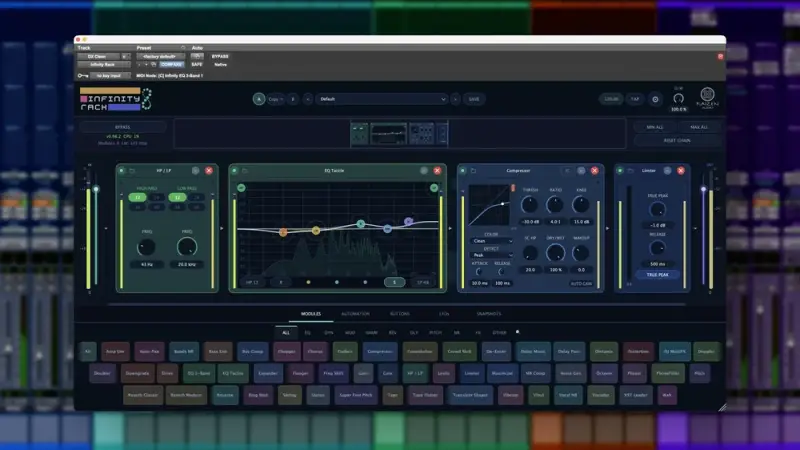
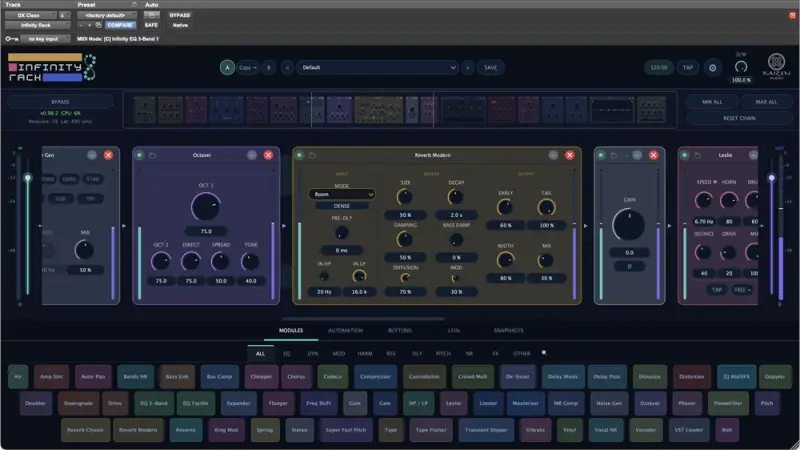
Infinity Rack starts as an empty chain. Its 54 modules sit in a tray at the bottom of the interface; drag them into the rack in whatever order suits the signal path, then move them around as the chain develops. There’s no stated limit on module count, and the same processor can appear more than once. A minimap gives a view of the full chain and helps navigate when the rack stretches beyond the visible area.
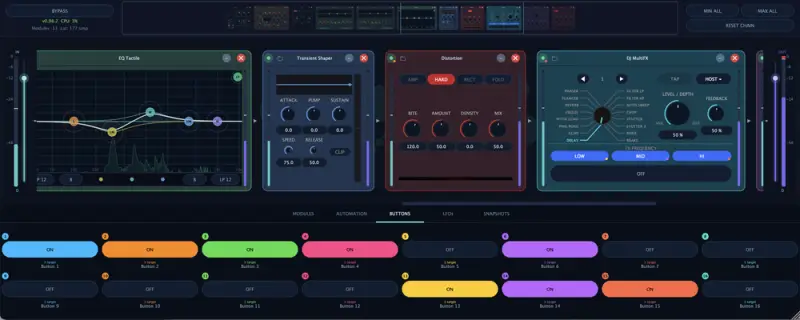
Control comes from 32 assignable macro knobs, 16 macro buttons and eight LFOs. Up to 16 snapshots store rack configurations for recall. This turns the plugin into more than a container for effects: it can also serve as a central surface for automating several processing moves together or switching between prepared chains.
Processing and performance
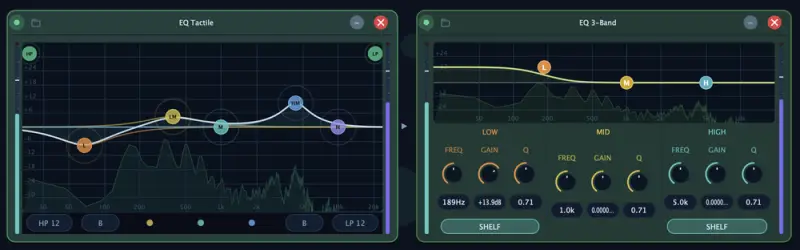
The reviewer used Infinity Rack in Pro Tools and found the modules straightforward to operate, with clean interfaces. The two EQ options cover different needs. EQ 3-Band offers Frequency, Gain and Q controls that can be mapped to macros. EQ Tactile adds five bands and high-pass and low-pass filters; its larger graph made precise gain adjustments easier for the reviewer.
Dynamics tools include a compressor, de-esser, expander, gate, limiter and multiband compressor. A separate Bus Comp targets mix-bus compression, while Maximizer processes each band with its own character before a final limiter. The reviewer’s assessment was that these processors were capable and did their jobs as expected.
Latency is concentrated in the limiter, which uses lookahead. In the reviewer’s Pro Tools session, a chain containing the dynamics processors reported 145 samples at 48 kHz; the other listed dynamics modules reported no latency. CPU use varied considerably with the processor mix. On an M1 Ultra Mac Studio, the first 20 processors in the rack used around 12% CPU. Loading all 54 raised that figure to 57%; removing Pitch Shift and Super Fast Pitch brought it down to 21% with 52 processors still active. Pitch processing was the main contributor to the increase.
The full processor set spans tone shaping, dynamics, modulation, time effects, pitch and sound design. It includes Air, Amp Sim, Auto-Pan, Bands NR, Bass Enh, Bus Comp, Chopper, Chorus, Codecs, Compressor, Convolution, Crowd Mult, De-Esser, Delay Music, Delay Post, Distance, Distortion, DJ MultiFX, Doppler, Doubler, Downgrade, Drive, EQ 3-Band, EQ Tactile, Expander, Flanger, Freq Shift, Gain, Gate, HP / LP, Leslie, Limiter, Maximizer, MB Comp, Noise Gen, Octaver, Phaser, PhoneFilter, Pitch Shift, Reverb Classic, Reverb Modern, Reverse, Ring Mod, Spring, Stereo, Tape, Tape Flutter, Transient Shaper, Vibrato, Vinyl, VST Loader, Vocal NR, Vocoder and Wah.
Third-party plugins and automation
VST Loader hosts one VST or Audio Units plugin per instance. Multiple VST Loader modules can be placed in a chain, making it possible to use third-party effects inside Infinity Rack, including plugins that may not be available natively in AAX. In the tested Pro Tools setup, Delay Compensation correctly reported and compensated for the latency of plugins loaded this way.
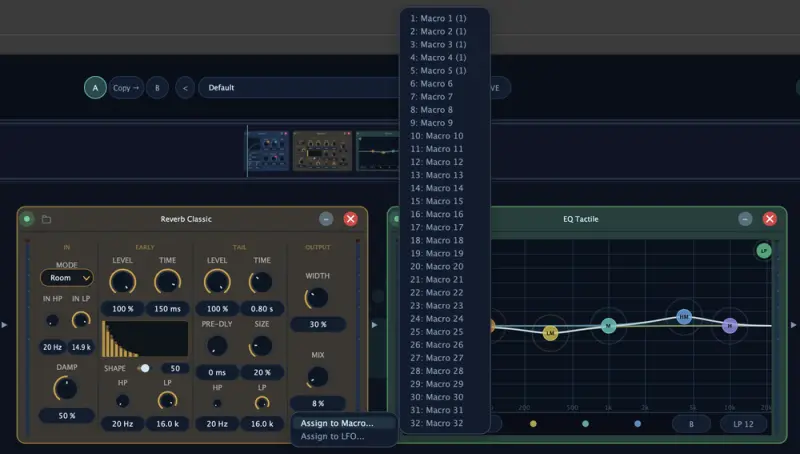
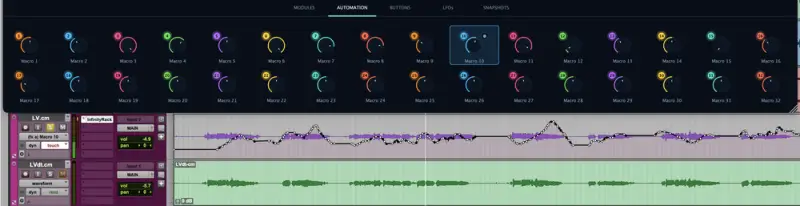
To assign a rack parameter to a macro knob, right-click the control and select the desired macro. With one parameter assigned, the macro and processor controls track each other. Assign several parameters to the same macro and one move can adjust them together. Each of the 32 knobs has its own automation lane in Pro Tools, so the linked changes can be drawn or edited in the DAW. The 16 macro buttons use the same assignment approach for controls suited to button operation.
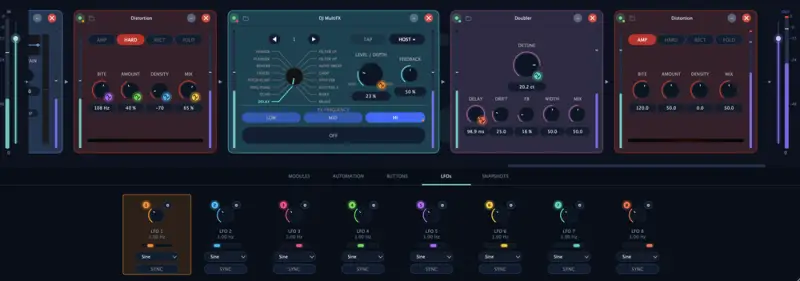
The eight LFOs provide repeating movement for assigned knobs. Each can use a sine, triangle, saw, square or sample-and-hold waveform, and can sweep a control across its full range or a user-defined span. That gives engineers a way to add cyclic movement without building separate automation by hand.
Snapshots and session planning
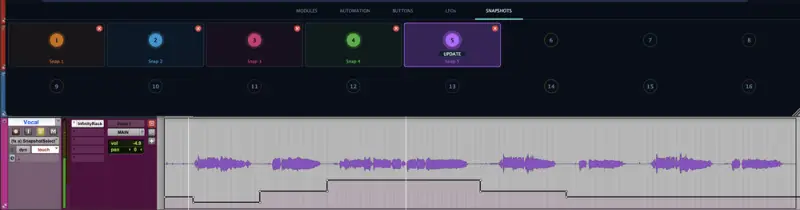
Infinity Rack provides 16 snapshots for storing and recalling rack configurations. Right-click a snapshot and choose “Update Current State” to save the loaded chain and its settings. Snapshot Select can also be automated in a DAW, allowing a session to switch setups from an automation lane.
The reviewer checked for clicks, dropouts and changing delay compensation during snapshot changes. None were observed. Pro Tools instead held compensation at the maximum latency required by any saved snapshot. That helps avoid glitches when switching between configurations, though sessions using a lower-latency snapshot may receive more compensation than that particular setup needs.

Every processor is also available as an individual plugin, which suits sessions that need only one effect or call for a simpler insert. Infinity Rack is priced at £129, with a free 15-day trial. The rack’s strongest fit is for engineers who want to keep complex processing, automation and alternate setups together; CPU use is worth checking when chains include its pitch processors.