fMusic Extension Brings Forte Session Prep and Stem Delivery Into Pro Tools
Forte’s fMusic Extension handles track organisation, mix prep and batch stem bounces from Pro Tools’ Extensions panel.
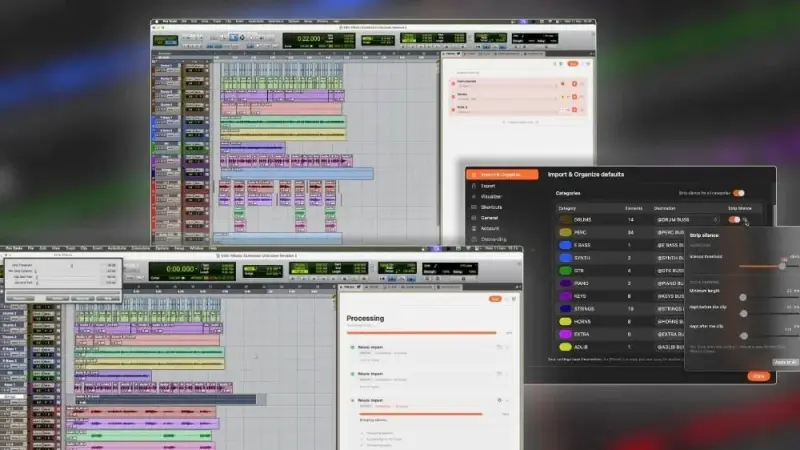
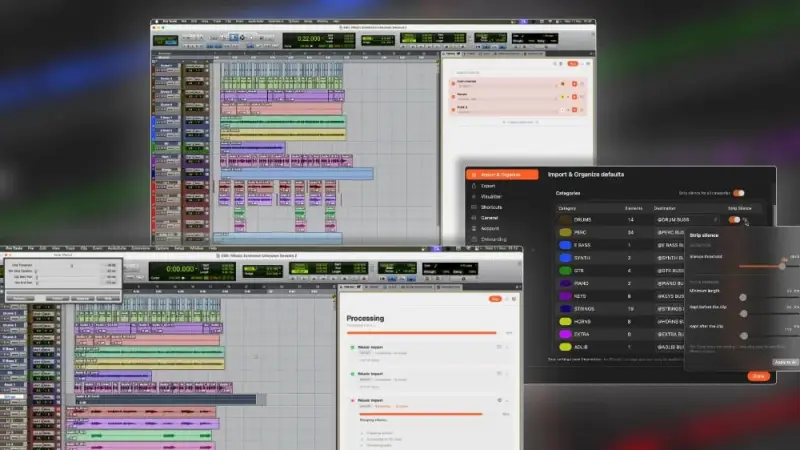
Session organisation and delivery can eat into the time set aside for mixing. Forte’s fMusic Extension brings those tasks into Pro Tools, where it can name, colour, group and route tracks, prepare audio, and bounce stems and mixes in one operation. The practical change is that engineers can set up the work from Pro Tools’ Extensions panel instead of handing each repetitive step manually.
Forte moves into the Pro Tools workspace
Forte began as a standalone Mac app built around automating recurring production tasks, including importing, organising, colouring and renaming tracks. Its wider toolset also includes fMusic for Logic Pro and fPost. With the arrival of Pro Tools Extensions in version 2026.11, Forte brought two of its tools into the DAW: fMusic Extension for music sessions and fPost Extension for post-production work.
Both extensions open from Pro Tools’ Extensions panel. That puts their controls alongside the session workflow, so engineers can configure a task and run it without switching to a separate application. For sessions that arrive with inconsistent track names or a layout that needs to match a mix template, the extension is aimed at reducing the amount of manual sorting before creative work begins.
The broader Forte approach is to apply a chosen set of rules to routine session work. In fMusic Extension, those rules cover track naming, colour, grouping and routing. The tool can organise assets against the user’s template, giving the session a more consistent starting point for mixing. Those steps still depend on the engineer’s setup and preferences; automation handles the configured operations rather than replacing the decisions about how a session should be laid out.
Preparation and reorganisation tools
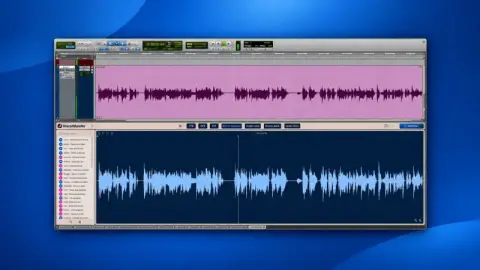
fMusic Extension covers mix preparation as well as changes to an existing session. It can refold stereo-bounced files that contain single-channel audio back to mono, apply Strip Silence, and gain-stage audio to a level selected by the user. These functions address different housekeeping jobs: restoring a suitable channel format, trimming silence, and bringing material toward a chosen gain target.
Keeping these operations in the same extension can make a repeatable prep routine easier to apply across incoming sessions. An engineer can decide which actions fit the job, then run them as part of the broader organisation process. The reported workflow also includes importing assets and arranging them within Pro Tools, with the extension carrying out the configured changes after the user starts the operation.
For a mix engineer, the value is likely to depend on how often sessions arrive in need of similar preparation. A familiar template and predictable naming scheme give automation clear rules to follow; varied sessions may require closer review before and after processing. Either way, having naming, colours, groups and routes handled from one place can reduce repetitive editing during setup.
Batch bounces and delivery
Delivery is another part of the workflow. fMusic Extension can bounce stems and mixes in a single operation, including alternate mixes. Instead of starting each print separately, the engineer can prepare the set of outputs and have them rendered as a batch. That suits projects where multiple versions are part of the handoff and where consistency across those prints matters.
Batching makes the delivery setup itself more important: the required stems and alternate mixes need to be defined before the operation runs. The extension is described as letting mixers configure what they want to happen and then execute that plan from the sidebar. That gives the engineer control over the requested outputs while reducing repeated steps once the set is ready.
Forte says the extensions work offline, with track and asset recognition carried out on the device. That detail matters for engineers working with client sessions who need the organisation process to remain within their workstation. It also makes the tool’s role clear: it acts on the Pro Tools session and its contents as part of local preparation and delivery.
fPost and access options
The companion fPost Extension targets AAF turnover. Its described workflow uses on-device AI to sort clips into dialogue, music and effects, including categories such as ADR, Walla and ambience, then places them at their source timecode on copies of the user’s template tracks. That gives post teams a route from an AAF handoff toward a mix-ready Pro Tools session.
Both extensions have a seven-day trial with all features unlocked and no account required. After the trial, the free plan includes two imports or session organisations per month, plus two exports for fMusic Extension. The Visualizer remains free. Existing fMusic and fPost customers can access the extensions with the same account, plan and price they already have.
For music teams, fMusic Extension’s appeal is a more direct path from incoming audio to an organised mix session, followed by a single batch operation for stems and alternate mixes. Its usefulness will come down to how well the configured template and processing choices match the session in front of the engineer.