Panasonic AU-SHX1: 6K Full-Frame Modes, Blackmagic RAW and Lab Results
The AU-SHX1 pairs full-frame 6K recording with multiple Blackmagic RAW options; measured dynamic range and rolling shutter vary with sensor settings.

The Panasonic AU-SHX1’s recording choices and measured performance make it a camera to assess by mode, not by headline resolution alone. Its database listing combines full-frame 6K formats, 12-bit Blackmagic RAW options and 10-bit H.265 recording, while lab measurements show that enabling Dynamic Range Boost changes both dynamic range and rolling shutter. For crews planning a shoot, those tradeoffs matter as much as the maximum pixel count.
Full-frame capture with room to reframe
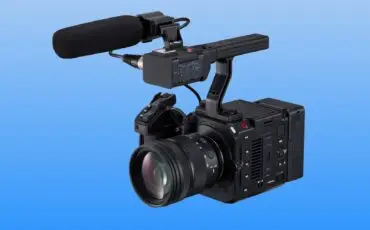
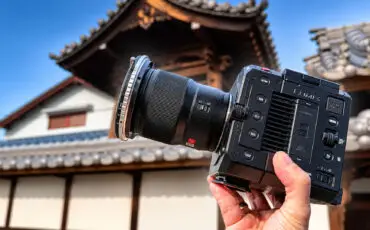
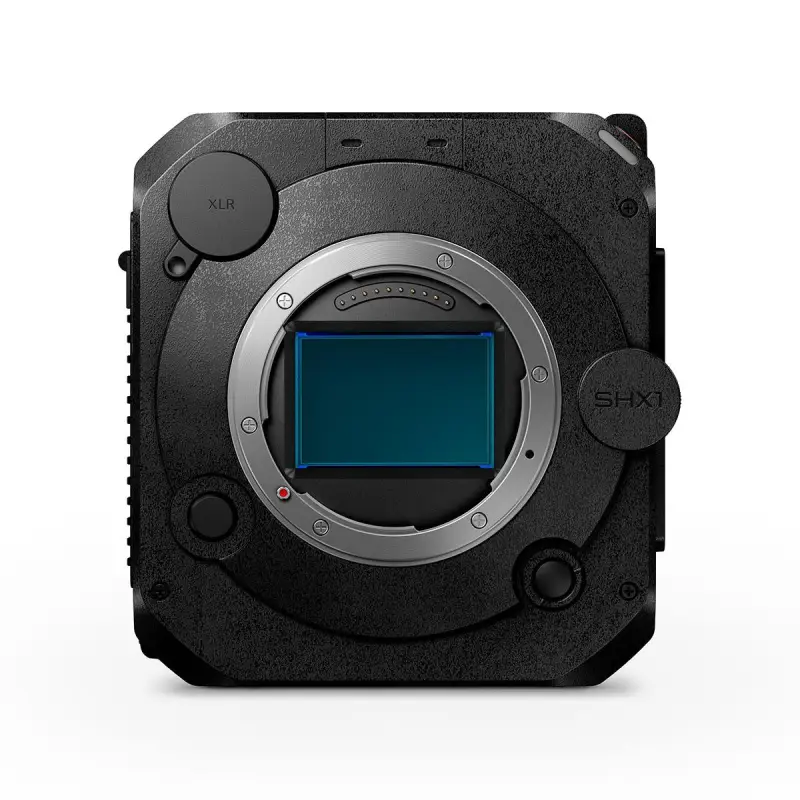
The AU-SHX1 is listed with a 35.80 x 23.80 mm full-frame sensor and an L lens mount. Its dimensions are 120 x 113 x 111 mm, and its listed weight is 984 g. The database gives November 2026 as the release date. Those details put the camera’s format options in a practical context: the body is compact enough to consider for rigs where space and weight matter, while the sensor area and range of recording shapes offer flexibility in framing and delivery.
The listed formats extend from 6K 3:2 at 5952 x 3968 to HD at 1920 x 1080. Between those endpoints are options including 5.9K 16:9, 5.8K 17:9, 4K DCI, 4K UHD and 3.8K 3:2. Several sizes are also offered in S35 or Pixel by Pixel modes. That spread gives operators ways to match capture to the intended frame, crop, and post workflow rather than treating every project as a single 16:9 deliverable.
Some 4K and HD formats are listed at 100p and above, and the format list includes HD 200p and above. Those entries may suit projects that need slow motion or high-frame-rate capture, though the supplied mode details do not specify the exact frame rates or data rates for each of those formats. The full recording-mode list is available through the AU-SHX1 recording modes and times page.
Codec choice sets the data burden
For 6K 3:2 recording in Full sensor mode, the listing gives H.265 LongGOP at 29.97p, 25p, 24p and 23.98p. Each is specified as 200 Mb/s, 4:2:0, 10-bit. That provides a comparatively modest listed data rate alongside a high-resolution image, a useful combination when storage capacity and transfer time are part of the production plan.
Pixel by Pixel 6K 3:2 recording is also listed in 12-bit Blackmagic RAW, with compression choices from constant-ratio 3:1, 5:1, 8:1 and 12:1 to quality settings Q0 and Q5. At 24p, the listed rates range from 3 Gb/s for Q0 and 2.4 Gb/s for 3:1 down to 599 Mb/s for 12:1. At 23.98p, the corresponding entries include 3 Gb/s for Q0, 2.4 Gb/s for 3:1, and 598 Mb/s for 12:1; Q5 is listed at 1 Gb/s at both frame rates. Those differences have direct consequences for media capacity and the time needed to move footage through a post pipeline.
The database also lists 5.8K Pixel by Pixel recording in ProRes RAW and ProRes HQ. Its lab measurements use 5760 x 3040 at 25 fps, providing a common point for comparing those codecs and settings. Choosing a mode will therefore involve balancing the desired format and bit depth with recording time, storage, and the post-production tools available to the team. The supplied information does not specify card requirements or recording durations, so those should be checked against the complete mode and media compatibility details.
Dynamic range depends on the setting
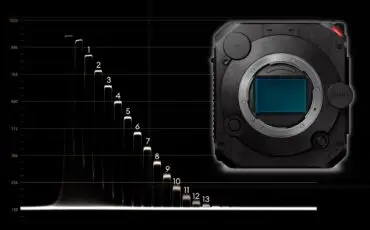
In the lab results, the highest listed dynamic range is 13.2 stops at SNR=2. That measurement comes from Pixel by Pixel capture at 5760 x 3040, 25 fps, ProRes RAW, ISO 1000 and V-Log, with Dynamic Range Boost enabled. Under the same resolution, frame rate, codec and gamma, but with the boost off at ISO 640, the result is 11.6 stops at SNR=2. The measurements are tied to those specific conditions; they are not a single figure that applies to every mode.
The other reported entries help show how the choices interact. With the boost enabled at ISO 1000, ProRes HQ records 12.6 stops at SNR=2, compared with 13.2 stops for ProRes RAW. At ISO 5000 with boost off, ProRes RAW measures 10.4 stops at SNR=2. The table also reports results at SNR=1 and patch range, which are separate measures: for the ISO 1000 ProRes RAW entry, these are 14.3 stops and 15.1 stops respectively.
For operators, the practical point is to test the intended recording mode and sensitivity rather than carry the maximum figure across a whole production. The reported results give a basis for comparing settings, but do not by themselves describe how a particular scene will render or how much grading latitude a specific shot will provide. The lab test covers the measured dynamic range, rolling shutter and exposure latitude.
Rolling shutter tradeoff
The minimum listed rolling-shutter result is 12.2 ms in Pixel by Pixel mode at 5760 x 3040, 25 fps and ProRes RAW, with Dynamic Range Boost off. With the boost on, the same listed capture format measures 26.2 ms. That is a substantial change in the reported readout time between these two settings, so fast pans and moving subjects are sensible cases for mode-specific testing.
These measurements provide a concrete comparison, but they do not describe every recording format in the camera’s menu. A production that depends on both highlight latitude and controlled motion rendering should check the tradeoff under its own frame rate and shooting conditions. The mode that produces the strongest dynamic-range result is not automatically the best fit for every moving scene.
What to check before building a workflow
The AU-SHX1’s broad format list gives productions options across aspect ratios, resolutions and sensor modes. The trade is that codec and mode selection affect storage demands and measured performance, so teams will want to settle those choices before estimating media needs or standardizing settings across a shoot. The listing also identifies ISO 640 and ISO 5000 as base sensitivities, with ISO 1000 shown for the Dynamic Range Boost measurement; the distinction between those specifications and the tested settings is worth keeping clear.
Lens choice is another part of the setup. With an L mount and a range of full-frame, S35 and Pixel by Pixel formats, coverage can depend on the selected sensor mode and image area. The lens coverage tool can help check a proposed lens and format combination. Before committing to a workflow, compare the precise recording mode, frame rate, codec, data rate and sensor setting you plan to use. Those details—not the 6K label alone—will determine how the AU-SHX1 fits a particular production.